
WHERE: Riemannstr.7, 10961 Berlin (U7-Gneisenau)
WHEN: TUE-FRI 11-8, SAT & SUN 12-4
WHAT: Click to find out what's going on!
INFO: Another Country is an English Language Second Hand Bookshop, which is mostly used as a library. We have about twenty thousand books that you can buy or borrow. You simply pay the price of a book, which you get back, minus a 1,50 Euro charge, should you choose to return it.
Another Country is also a club which hosts readings, cultural events, social evenings, filmnights and many other things.
CONTACT: info@anothercountry.de
We been favourably mentioned in many international travel articles. Read all REVIEWS here!
ENGLISH FILMCLUB
Every tuesday at 8 p. m.
STAMMTISCH
Every thursday at 8 p. m.
DINNER NIGHT
Every friday. Dinner at 9 p.m.
MORE:

Get our Widget for your Blog, Homepage, MySpace, Facebook...!
FAQ: HOW TO use this blog, how to comment, how to create a link, how to embed a video etc.
lee nguyen pc
Busy life circumstances than the current world history. Mario | Friv | Doraemon Games | Kizi
Change your future with Wall Street English
Englisch erleben in Berlin – und gewinnen! For all our native German Speaking fans Check check out the raffle going on at Wall Street English you might win a Friday Night Dinner at Another Country. Wall Street English
Quiz Night continues...
8 rounds of questions. Categories include: General Knowledge, Literature, Film & TV, Audio round, a mystery round and a rapid-fire buzzer round.* Only 1 EUR per person. Come with a team or come alone and join a team. PRIZES: The winning team wins a round of drinks and a voucher for Another Country! Questions will ...
Toxic Waste Nuclear Sludge Recall
Dangerous Lead Levels Cause Another Nuclear Sludge Recall: A recall has been issued on a popular candy item due to dangerous levels of lead found in the candy. The candy is called Toxic Waste Nuclear Sludge, and it is manufactured by a company called Candy Dynamics. The company issued a voluntary recall after ...
Winter Days, Winter Nights
Winter Days, Winter Nights AT ANOTHER COUNTRY BOOKSHOP Entrance is free. Drinks are cheap!!! Feel free to just show up. TUESDAY NIGHTS IN DECEMBER Film starts at 9:00 The 7th "Russian Ark" (2002) The 14th "Home Alone" (1990) The 21st "Gremlins" (1984) The 28th "The Thing" (1982) FRIDAY NIGHTS IN DECEMBER DINNER IS SERVED AT 9:30 TV starts at 8:00 A TV medley of ...
day late Thanksgiving Dinner this Friday
(this week only €6 due to additional costs for meal) Friday Night Thanksgiving Dinner Roast Turkey with all the trimmings New Glee episode and x factor before dinner and this years cheesy after Thanksgiving Dinner Musical will be in keeping with Scotland theme Month Brigadoon TV shows start around 8:00 Dinner at 9:30 (don´t be too ...
Tuesday and Friday Films at Bookshop
SCOTTISH FILM MONTH AT ANOTHER COUNTRY BOOKSHOP Entrance is free. Drinks are cheap!!! Feel free to just show up. TUESDAY NIGHTS IN NOVEMBER We will be showing the new BBC series "Lip Service" set in Glasgow Tuesdays at 8pm followed by a film beginning at 9pm. The 2nd "Highlander" (1986) The 9th "Trainspotting" (1996) The 16th "Local Hero" (1983) The ...
Dinner at 9:30 and Film at 10:45
Tonight´s Film Topper (1937) Topper is a comedy film which tells the story of a stuffy, stuck-in-his-ways man who is haunted by the ghosts of a fun-loving married couple. It was adapted by Eric Hatch, Jack Jevne and Eddie Moran from the novel by Thorne Smith. The film was directed by ...
Face Book
Another Country Berlin - News and Events | Promote your Page Check out our Facebook page for events info too
More: Berlin International (English Links)
English Berlin Blogs
Reading Groups in Berlin


ARTISTS:
MUSIC:
BLOGS:
From East LA to The East Village to East Berlin
PLACES:
Friends of the Italian Opera (English Theatre)
MOVIES:
AD: Resident native speaker of English offers classes for small groups or individual tailor-made lessons ranging from beginners up to proficiency level at reasonable rates.

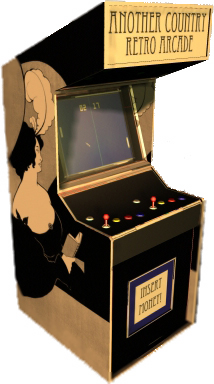
ARCADE : Pac Man - Space Invaders - Donkey Kong - Asteroids - Frogger - Centipede - Q*Bert - SuperMario - Super Mario World - Sonic - Zelda




HOME - ANOTHER COUNTRY - ART - BERLIN - BOOKS - FUN - GAMES - GENDER - HISTORY
MOVIES - MUSIC - PEOPLE - POETRY- RADIO - SCIENCE FICTION - TRAVEL - TV - WEB - WEIRD
ANOTHER BERLIN - Join the English Berlin Network
About this weblog
There is a table of contents on the left side. The category "Another Country" is only for gossip, photos from the shop, reviews about the shop and whatever else you come up with.
Events (like whatever movie is on!) are filed under events from now on, ok? So, if you get the latest entry in that section, you click on events and you should find what you're looking for.
Become a member
Friends of "Another Country" may contribute to this weblog by registering with a valid Email. After confirming that you're not a spam-robot, you can start making comments and writing your own stories right away. Your registration is also valid for other blogs of the happy antville-family, one of the oldest weblog-communities out there. So, you can also comment over at the Popmoderne Weblog.
Write your own entries
After registering you will see an extra-navigation on the left. Click on the button "Create a story", choose a headline, type your text and choose a topic or make up a new one. It's as easy as that.
Save the story and the system will automatically take you to the archive of all stories. All you need to do now is set your story online by clicking the button "Set online". Your story will be online within seconds. Click "Home" to check it out.
You may wonder about the "Set online"-procedure, but it's quite useful to prepare stories in time or work on a story with a team of editors or have a chief-editor check stories from contributors before they go online.
For example, you can write a "Happy New Year"-entry in time and set it online later.
Creating new topics If you open a new category aka. topic for the table of contents, please let the administrator know in some comment to your own story.
How to create a link: You may wanna link to pages you find interesting or funny. It's pretty easy to do. See that "code" with the a in the weird brackets down there?
It's written in HTML, which is a very simple language to display all kinds of things on the internet. Nothing to be scared of.
The A in those <>-brackets starts the link and the /a ends it.
Copy the code up there and save it somewhere else. Replace the link for www.anothercountry.de and the text ("Another Country" in plain words!) with something else. Copy your new piece of code and paste it into your story. Save the story, put it online and bingo! That's all you need to know. You can use that piece of code over and over. It's also included for your convenience on the bottom of the editor-window when you click on "Create a story".
By the way, if you leave out "target=_blank" the page will open in the same window.
If you want to link to a specific story from this weblog, click on "direct link for this story" which leads you to the single page of whatever story instead of the frontpage which gets updated all the time.
Embedding videos If you wanna include videos from youtube or GoogleVideo in your story, go to whatever youtube-page and look for something called embed-code.
Go to "select all", copy and paste the code into your document. Same thing for Google-video, MySpace-videos etc. All these words, numbers and symbols in the brackets make the video magically appear in your story.
Embedding pictures It's similar to YouTube, but you will have to upload the pictures yourself...
As a simple solution, I would highly recommend Photobucket. It even automatically copies the HTML-code when you click on it after uploading your pictures. Try it! It's very simple!
Or create a basic Flickr-Account to upload pictures and include them in your stories. Within Flickr, go to your uploaded picture and click "all sizes". On the bottom of the page, you will find a piece of code to copy into your story. Please don't use pictures wider than 400 pixels! Paste width="400" into those brackets!
More useful codes
The following piece of code creates a paragraph in your text:
I would recommend Webmonkey (" the site that's been teaching people how to build websites of their own since 1996.") for learning more.
Visit "the other blog"!
haha, der erklaerbaer.
... Link

... Comment
Busy life circumstances than the current world history.
Mario | Friv | Doraemon Games | Kizi
... Link
... Comment
